 Academy
Till Academy
Short videos that show each job on Till CloudPOS, with the steps written out underneath. Watch one when you need it, or work through all 49.
49 guides · 40 minutes of video · no sound
49 guides to view
Topic
Role
Level
Your progress
3 of 49 guides
Shifts, cash and the day
3 guides · 2 min
Open and close your shift, hand the till to the next person, record cash in and out of the drawer, and open and close the day.
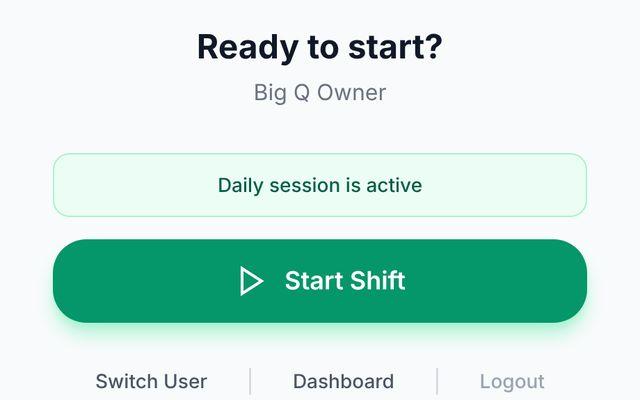
Open your shift
Start your shift on the POS so you can take orders. It takes one tap and no cash count.
35 secondsBasicsCashier, Waiter
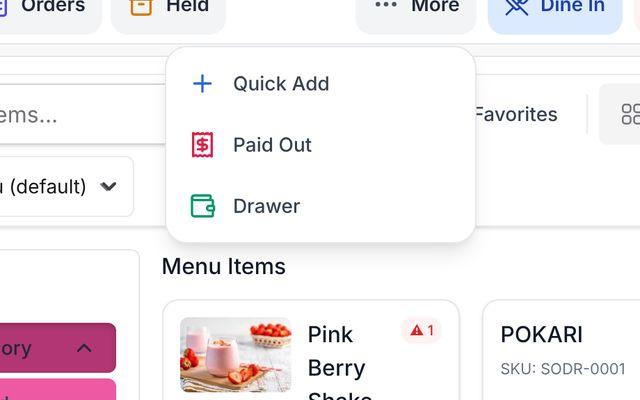
Record cash in and out
Write down a float top-up or cash paid out of the drawer, so the cash count still matches at the end of the day.
1 minuteEverydayCashier, Manager
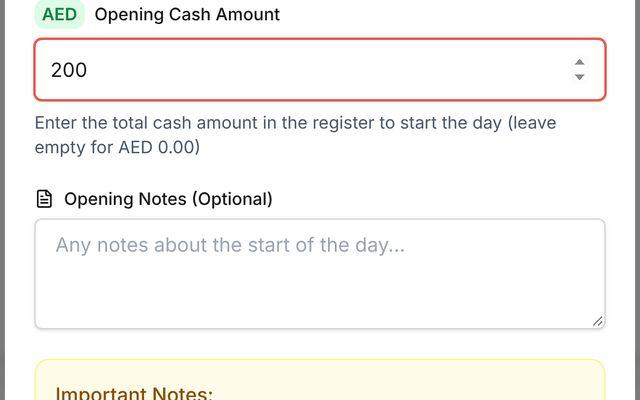
Open the day
Start the daily session with the opening cash, so shifts can start and orders can be taken.
43 secondsEverydayManager, Owner