 Academy
Discount one item
Take money off a single item with a ready-made item discount, and leave the rest of the order at full price.
- 51 seconds
- 10 steps
- Everyday
- For cashiers, waiters and managers
10 steps · no soundFirst: Tap Discount
Steps
Tap a step to play the video from that point.
About this task
Sometimes one item deserves the discount, not the whole bill: a dessert that arrived late, or a promotion on one product. An item discount lowers the price of that line only.
Item discounts are ready-made rules that your manager or owner sets up. On the POS you choose the rule, then tick which items in the cart it applies to.
The cart shows the result straight away: the line shows the percentage and its new price, and the total drops by the same amount.
Good to know
- A rule only works on its own items
- Each item discount lists the items it can be used on. Items in the cart that are not on the list cannot be ticked.
- Whole bill instead?
- To take money off the whole order, use an order discount from the same Discount window.
If something goes wrong
- There is no Item Discounts tab
- No item discount is available right now. Rules can be limited to certain hours and certain items. Ask your manager which ones should be active.
Details
- Topic
- Take payment
- Level
- Everyday. You will use these on most shifts.
- Video
- 51 seconds, no sound, captions on screen
- Last checked
- , against Till CloudPOS
Related guides
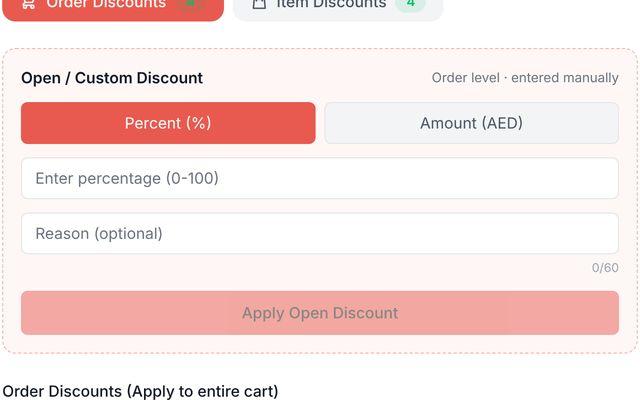
Apply a discount
Take a saved discount, or your own percent or amount, off the whole order before the guest pays.
51 secondsEverydayCashier, Manager
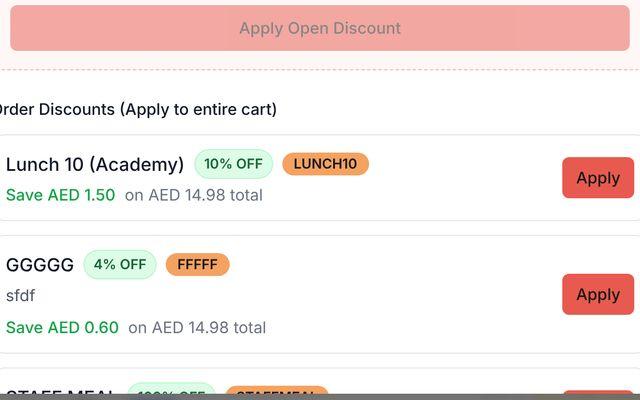
Create a discount
Set up a ready-made discount, such as 10% off the bill, that cashiers can apply from the POS.
51 secondsAdvancedManager, Owner
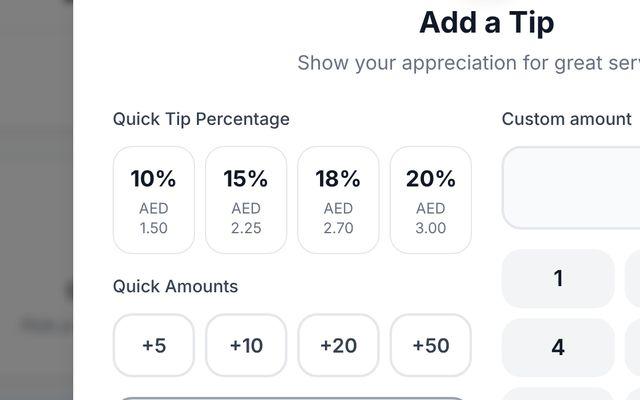
Take a card payment with a tip
Add the guest’s tip before you pick the card, so the card is charged once for the bill and the tip together.
51 secondsEverydayCashier, Waiter